How payments work
When you drive with the Uber app, your earnings are transferred automatically, so you don’t have to worry about paperwork. Find out more about the ways you can receive your earnings.
Looking for delivery information?
Control when you receive your earnings
When you earn with Uber, your money is transferred automatically once a week. You can also choose to cash out directly in the app at any time. Instant and two-day cashout options allow you to access your earnings more quickly. Here are the cashout options available in your area:
How Instant Cashout works:
Eligibility Requirements: Once you’re eligible for cashouts, you’ll automatically be able to cash out your earnings. To become eligible you must meet the following criteria:
- You’ve completed 25+ Uber trips
- It’s been at least 14 days since your first Uber trip
- You’ve passed Uber’s daily fraud and security checks
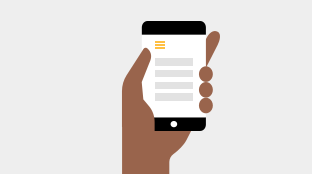
1. Open the ‘Menu’ in the Driver app by tapping the three lines in the top left corner.
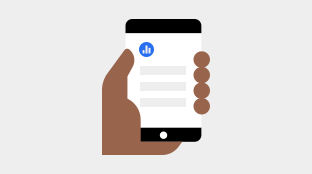
2. Tap ‘Wallet’, tap ‘Cash out’ and then select ‘Instant’ to transfer your earnings to your linked bank account. A £0.50 fee will apply each time.
3. Your transfer should be completed within minutes with Instant Cashout*.
*Please note that there is a daily maintenance window between 21:30 - 04:00. If you cash out during this time, your payment will be queued for payment and you will receive payment after the maintenance is completed. There is an additional weekly maintenance window on Saturdays. The exact timing of this window varies. These maintenance windows should be clearly displayed in the app when you are cashing out.
You can cash out up to £1600 of your earnings per week.
Note that if you don't cash out your earnings from the past week by Monday at 4am local time, your earnings will be transferred into your bank account on Monday as per the normal process.
How Two-day cashout works:
Eligibility Requirements: Once you’re eligible for cashouts, you’ll automatically be able to cash out your earnings. To become eligible you must meet the following criteria:
- You’ve completed 25+ Uber trips
- It’s been at least 14 days since your first Uber trip
- You’ve passed Uber’s daily fraud and security checks
1. Open the ‘Menu’ in the Driver app by tapping the three lines in the top left corner.
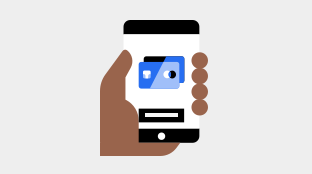
2. Tap ‘Wallet’, tap ‘Cash out’ and then select ‘Two-days’ to transfer your earnings to your linked bank account.
3. Your transfer should be completed within 1–2 working days with ‘Two days Cashout’, if you cash out before 14:00 (Monday – Friday). Processing times may vary depending on your bank. Uber aims to complete payments as quickly as possible but timing is not guaranteed.
How automated weekly payments work:
Uber calculates your earnings based on a weekly cycle from Monday 4am to the following Monday 3.59am. This means that any trip completed after 4am will be included in your weekly statement for the next week. On Mondays, the total amount from your balance will be deposited into your bank account. You will receive your weekly earnings statement by email, with a breakdown of your earnings. This can also be accessed from partners.uber.com. Processing times depend on your bank provider; however, we expect the money to be deposited into your account within 48–72 hours.
Frequently asked questions
Why can’t I ‘Cash out’?
You may be unable to ‘Cash out’ if:
- You are attempting to cash out more than the weekly or daily maximum;
- Your bank is still processing a previous cash out;
- Your account has been active for less than two weeks since your first trip and/or you have completed fewer than 25 trips;
- There may be an issue with the cash out feature; or
- Your account is under review for a security risk and cash outs are temporarily disabled
Why can’t I see the ‘Cash out’ option?
If you don’t see the option to ‘Cash out’ in the app, it may be because you’re currently ineligible. This could be because:
- Your account has been active for less than two weeks since your first trip;
- You have completed fewer than 25 trips; or
- Your account is under review for a security risk.
What can I withdraw?
If you are eligible, you’ll be able to cash out the balance currently in your account (subject to the below maximum). Only the earnings that are shown in your account at the time you choose to cash out will be transferred.
Any earnings from the past week that you don’t cash out by 11:59pm on [Sunday] will be transferred to your bank account as usual through the automatic weekly payout.
Are there limits on how much I can withdraw?
You can cash out up to £1,600 of your earnings per week. The minimum amount you can cash out is £1.00. For the purposes of the weekly limit, the time frame is from 00:00 on Monday to 23:59 on Sunday.
Please note, there is no limit on how much you can earn in any given week, only a limit on how much you can cash out. The remainder of your earnings will be paid out to you as usual through the automatic weekly payout.
Is there a fee to withdraw funds?
There is a charge of £0.50 per ‘Instant Cashout’.
When will my funds arrive?
If you are using ‘Instant Cashout’, your funds will arrive in your account within minutes. Please note that there is a daily maintenance window between 21:30 - 04:00. If you cash out during this time, your payment will be queued and you will receive it after the maintenance is completed. There is an additional weekly maintenance window on Saturdays. The exact timing of this window varies. These maintenance windows will be clearly displayed in the app when you are cashing out.
If you are using ‘Two-days Cashout’ and you cash out on a business day before 14:00, your funds will arrive within two business days. Processing times may vary depending on your bank. Uber aims to complete payments as quickly as possible but timing is not guaranteed.
Drive your way in the app

Drive your way in the app
The information provided on this web page is intended for informational purposes only and may not be applicable in your country, region or city. It is subject to change and may be updated without notice.