May 20, 2016
Tritons ride free
KG
Katie Golland
Share this article
UC San Diego is showing some Triton pride by offering a safe ride to students. Apply the code ASUCSD16 for 1 free ride up to $10 courtesy of UCSD Associated Students. Don’t snooze on this promo — your free ride only lasts until June 3.
How it works:
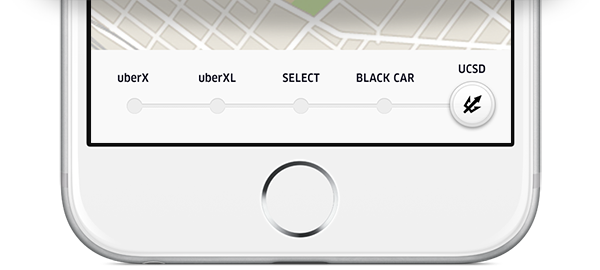
1) Enter promo code ASUCSD16 to unlock the UCSD view
2) Between 8pm – 3am, tap the UCSD option and request a ride
3) Your trip will be free (up to $10) within the approved boundaries*
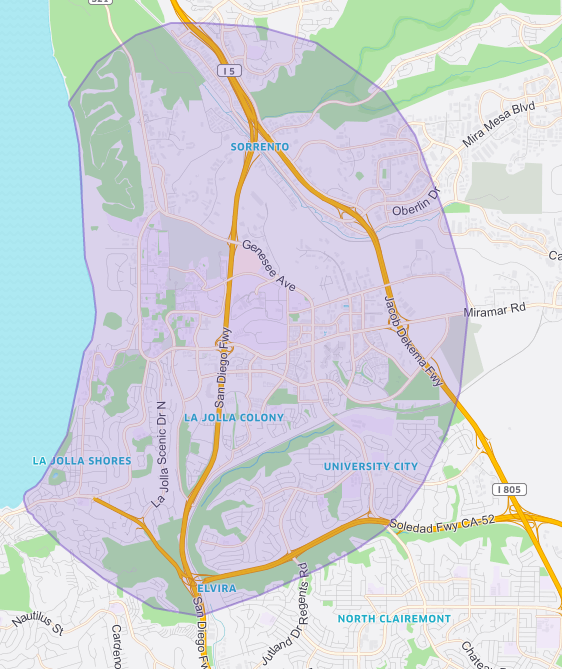
*Approved boundaries:
The details:
- Requests must be made through the UCSD view.
- The UCSD view will allow for 1 free ride up to $10 (until redemption limits are hit).
- Rides will only be covered by UCSD between the hours of 8pm-3am.
- You must have a ucsd.edu email address linked to your Uber account in order to use the UCSD view in the app. Need to change the email address on your account? See instructions below.
- Rides requested via the UCSD view must begin or end within approved boundaries (see map). Rides taken outside of the approved boundaries will not be covered by UCSD.
- Promotion will expire when maximum redemption limits are hit or on June 3, 2016.
Changing your email address:
You must have a ucsd.edu email address linked to your Uber account in order to use the UCSD view in the app. If your account is tied to your personal email address, you can update your account information by following these steps:
- Sign in to your Uber account from your mobile device
- Click on the “Settings” tab
- Select “Edit Account”
- Update your email address to your ucsd.edu email
Questions? Visit help.uber.com
Category
Related Articles
6 articles
Autonomous
Company News
Rides
September 2, 2026
Company News
Merchants and Restaurants
Rides
June 16, 2026