June 14, 2021
Drivers using UberTAXI can now accept UberX trips with their taxis in Washington, DC
U
Uber
Uber has partnered with the Department of For-Hire Vehicles (DFHV) to offer taxi drivers additional earning opportunities on the Uber platform in Washington, DC.
Follow the instructions to sign up for UberTAXI today.
Step 1: Download the free Uber Driver app

Step 2: Gather the following documents:
- Driver’s license
- Vehicle registration
- Taxi Face Card
Step 3: Open the Driver app and select Register
Step 4: Enter your information to create an account

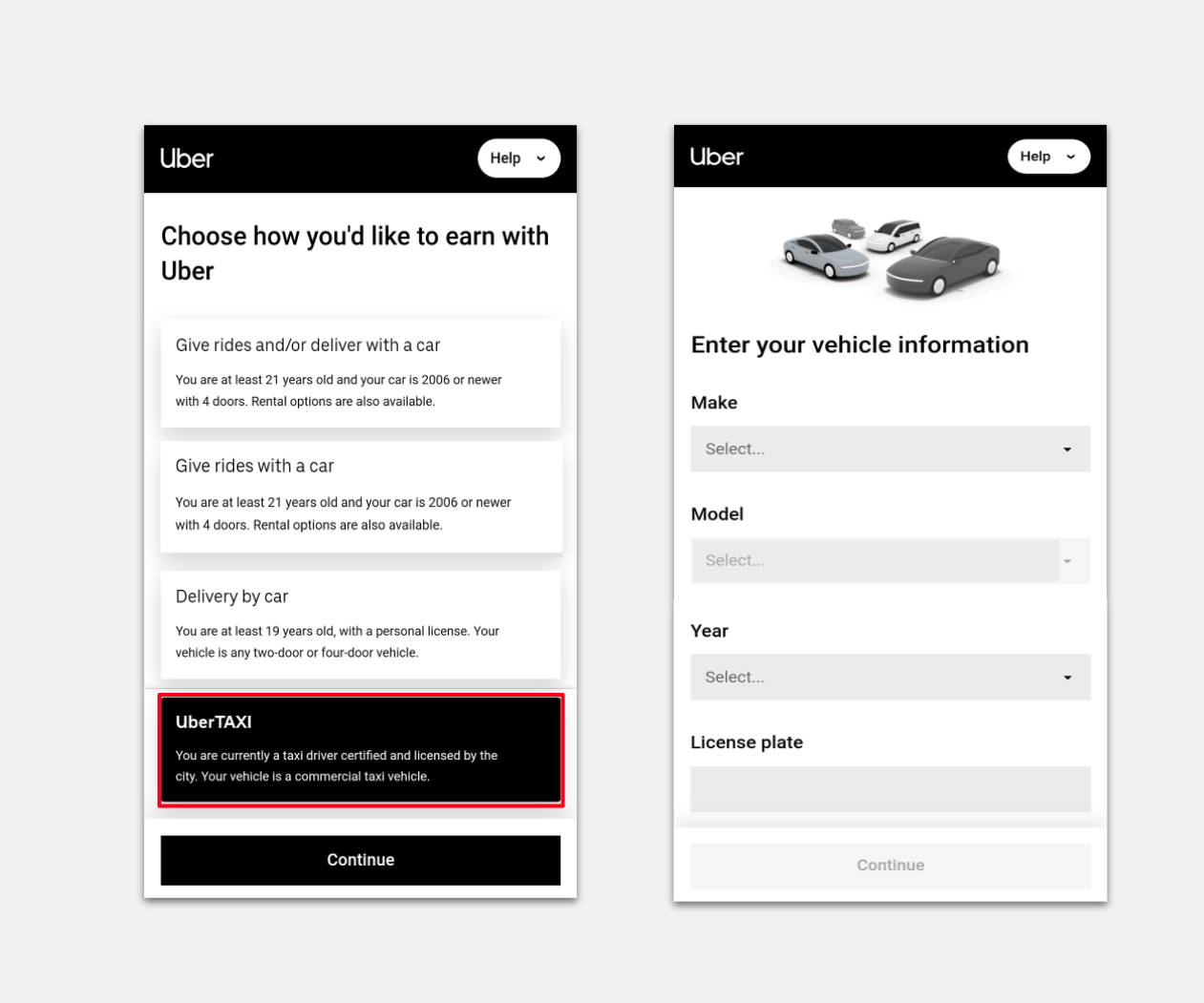
Step 5: Select UberTAXI from the list of earning options
Step 6: Enter your taxi vehicle information
Step 7: Select Background Check
Step 8: Enter your Social Security Number in the box

Step 9: Acknowledge and agree to the background check
Step 10: Select Submit
Step 11: Select Profile Photo
Step 12: Take a photo of yourself for your account profile picture

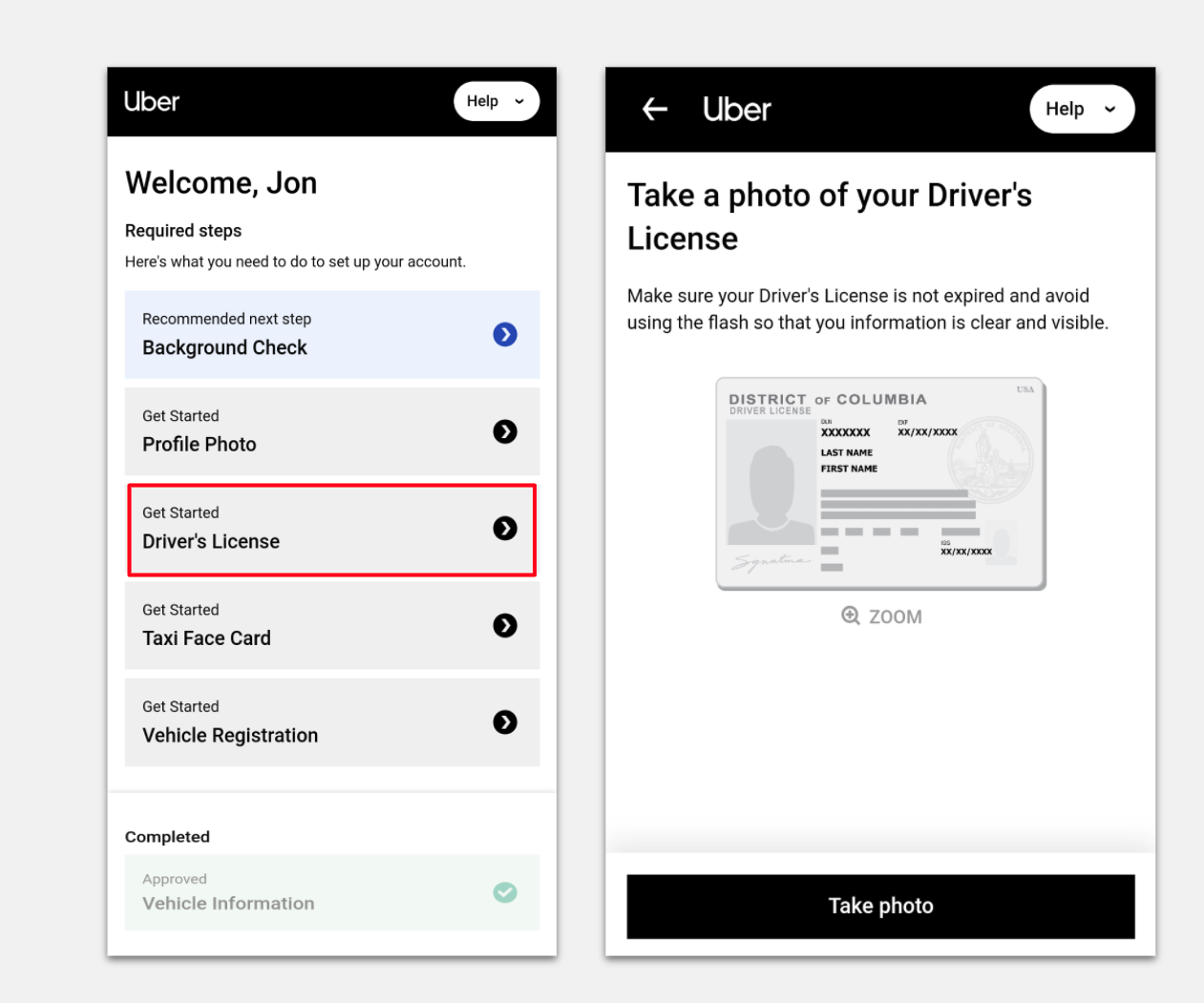
Step 13: Select Driver’s License
Step 14: Take a photo of your active driver’s license and make sure that all information is clearly visible
Step 15: Select Taxi Face Card

Step 16: Take a photo of your active DFHV Taxi Face Card and make sure that all information is clearly visible

Step 17: Select Vehicle Registration
Step 18: Take a photo of your active vehicle registration and make sure that all information is clearly visible.
Step 19: Wait for your documents to be reviewed by Uber

Step 20: Once all your documents are approved, sign in to the app to accept UberTAXI and UberX trips
Category
Driver products
Written by
U
Uber
Related Articles
6 articles
Drive
Driver products
March 6, 2025