Coming or going to Santa Fe? Ride with Uber Shuttle.
Ride with Uber Shuttle. Ready for your next trip? Find affordable rides to and from Santa Fe with Uber’s shuttle option.

Prebooking
Prebook your seat 7 days in advance.

Affordable prices
Reserve your seat starting from MX$60.

Comfort and safety
Air-conditioned vans with live tracking for a worry-free ride.

Easy and quick access
Just show your QR code or 4-digit PIN to board the shuttle.

100% cash-free
Pay with credit or debit card, Uber Cash, Mercado Pago, or PayPal.

User Support
Go to Account > Help > Uber Shuttle
How to Book Your Shuttle Ride
Request
Plan to reserve a seat on the most convenient shuttle. Enter your pick up and drop off location and select the ‘Shuttle’ option. Review your fare, choose your ride, then tap "Request."
Pickup
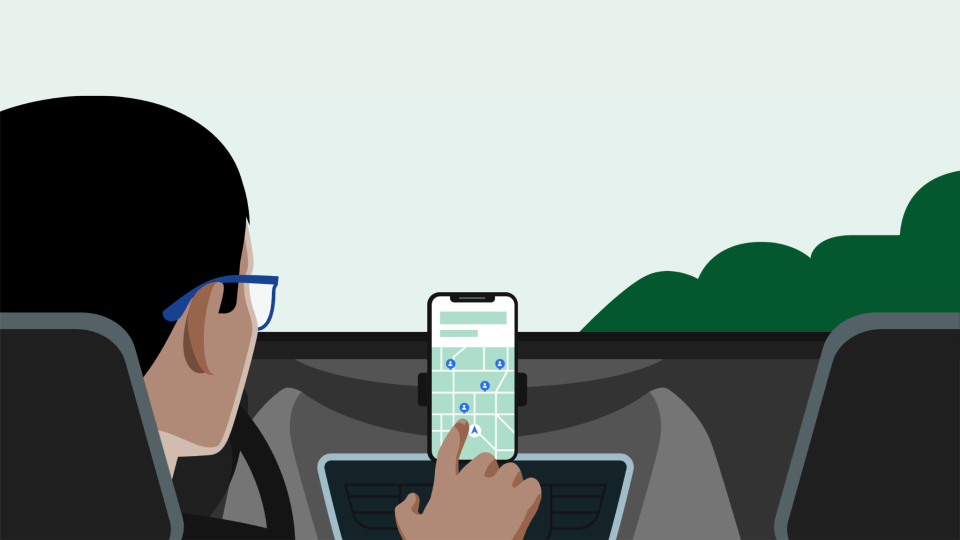
Track your shuttle to board just in time. Walk to the pickup spot shown on the map and arrive at least 5 minutes early. The shuttle will wait a maximum of 2 minutes. You will get real-time updates on your phone.
Boarding
Board the shuttle and seamlessly check in by scanning the QR on your phone. Enjoy a comfortable ride.
Drop-Off
Your Shuttle will drop you off at your selected drop-off location. Use the Uber app for walking directions to your final destination.
Got suggestions to improve our product?
Your feedback is key to helping us improve. If you have suggestions or comments about the value our product offers, we’d love to hear from you.

Are you a fleet partner and interested in being part of this product?
If you’d like to learn more about this opportunity, get in touch with us.
Send us an email at: contactohcv@uber.com
Frequently asked questions
- What is Uber Shuttle?
Uber Shuttle is designed to make your daily commutes easier and more comfortable. You can reserve a seat in a van with air conditioning, cushioned seats, and live trip tracking. The best part? You can plan ahead, secure your spot on the ride you choose, and pay easily and stress-free through the app.
- What are the benefits of using Uber Shuttle?
- Comfort: Air-conditioned vans and guaranteed seating.
- Certainty: Track your ride in real time.
- Advance booking: Plan your rides up to a week in advance.
- Direct trips: No intermediate pick-up points, go straight to your destination.
- Easy access: Just show your QR code or 4-digit PIN to board.
- Digital payments: Use credit or debit cards, Uber Cash, Mercado Pago, or PayPal.
- No hassle: Book your trip and let the app handle the rest.
- Where can I use Uber Shuttle?
Uber Shuttle is available in several areas across the city. Just open the app to see nearby pick-up points and available rides in your area. Currently, you can ride to or from Santa Fe from the following areas:
- Acoxpa
- Aragón
- Buenavista
- Cuautitlán
- Cosmopol
- Escandón
- Gran Sur
- Iztapalapa
- Lindavista
- Mixcoac
- Multiplaza Alameda
- Parques Polanco
- Polanco
- Taxqueña
- Tlalnepantla
Be sure to check the app regularly to see if there are new options near you.
- Is Uber Shuttle a door-to-door product?
No, you'll need to go to the selected pick-up point and wait for the Shuttle to arrive. Directions will be available in the Uber app. After your ride, you'll arrive at the selected drop-off point.
- How can I find Uber Shuttle in the app?
If you see the Shuttle icon when opening the Uber app:
Tap it and enter your destination.
The app will show the available ride options for you to choose from.
If the Shuttle icon doesn’t appear:
Enter your destination and select Uber Shuttle from the list of products.
You’ll see the available options based on your location.
- Can I book in advance?
Yes — you can book up to one week in advance. If you know you'll need a ride every day, you can plan your entire week directly in the app. Need to reschedule? No problem — you can make changes at any time, up to one hour before your trip.
- Can I pay in cash?
Cash payments are not available at the moment. All payments are fully digital. You can pay using: Credit card, debit card, Uber Cash, Mercado Pago, or PayPal.
- Is there a cancellation fee?
- If you cancel with one hour or less before your ride, you’ll be charged the full fare.
- If the shuttle is more than 2 minutes late, you can cancel without any charges.
- What should I do if I have issues with Uber Shuttle?
In the app:
Go to the “Account” menu
Tap “Help”
Select “Uber Shuttle”
Choose the option that best matches your situation
Reminder: All support for Uber Shuttle is handled directly through the Help section in the Uber app.
- Is there a way to provide feedback?
Your feedback is key to helping us improve. If you have suggestions or comments about the value our product offers, we’d love to hear from you.

Los datos proporcionados en este sitio web son de carácter informativo y es posible que no se apliquen a tu país, región o ciudad. Están sujetos a cambios y pueden actualizarse sin previo aviso.
Consulta los Términos y Condiciones específicos aplicables al producto de UberShuttle aquí.
About
Explore
Airports
Car rentals
Courier services
Popular routes
Taxis
About
Explore
Airports
Car rentals
Courier services
Popular routes
Taxis