December 4, 2019
Your connection to RTP
U
Uber
Share this article
We’ve partnered with GoTriangle and Research Triangle Park (RTP) for RTP Connect, a pilot program for commuters traveling in Research Triangle Park (RTP).
With RTP Connect, you can enjoy up to $10 off per Uber ride within the service area, which consists of Research Triangle Park and select areas outside of RTP near the GoTriangle Regional Transit Center (see map). Use your subsidized RTP Connect rides to get to lunch, leisure, or work.
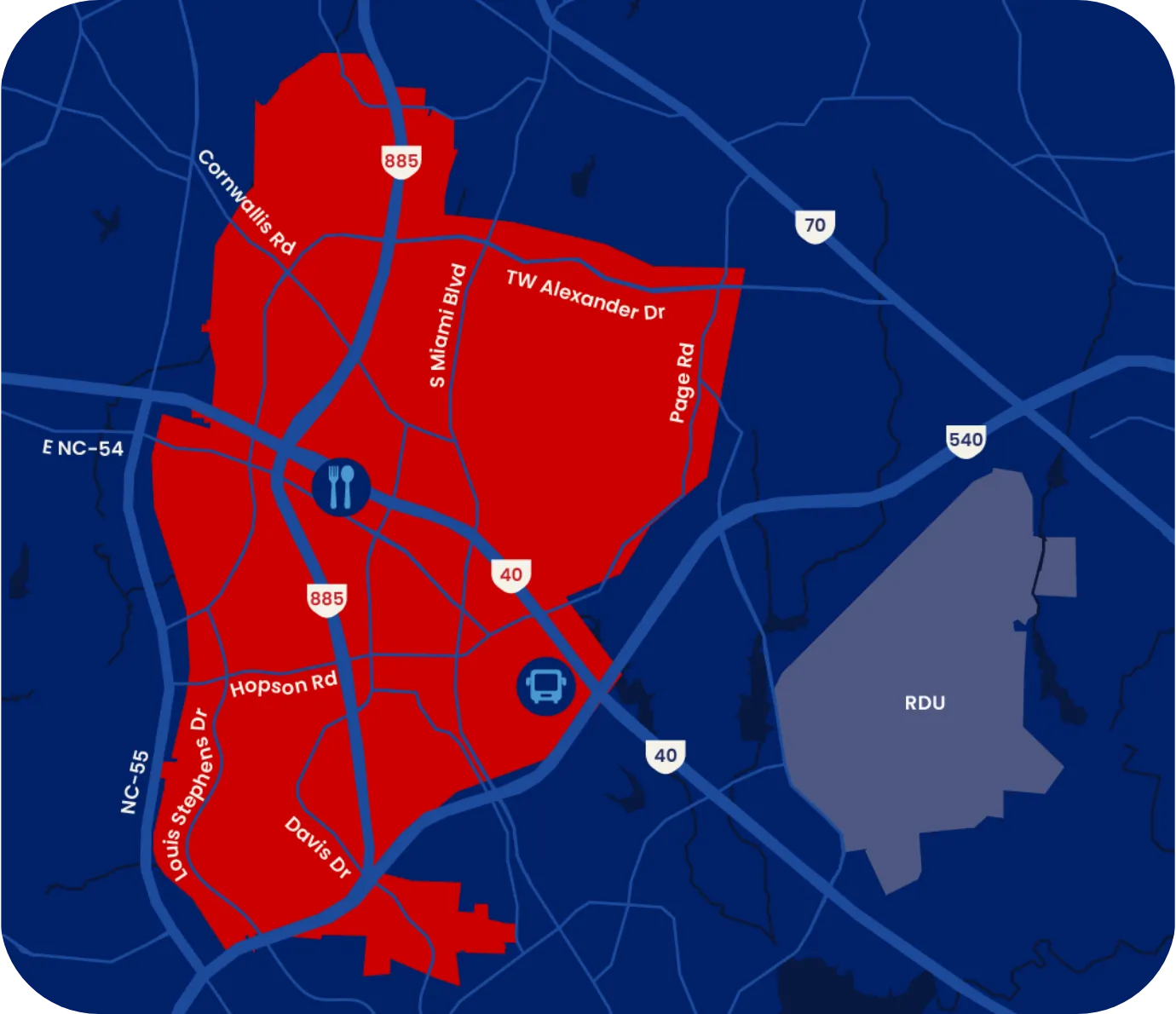
Eligible trips must both begin and end within the RTP Connect Zone, and must start or end at one of two locations: Boxyard RTP or the GoTriangle Regional Transit Center.
RTP Connect is available between 6:30am and 10pm, Monday through Friday.
How to ride with Uber for RTP Connect
- Sign into your existing Uber account or download the Uber app and create an Uber account.
- Tap the Account button in the lower right corner. Choose Wallet.
- Scroll down to the Vouchers section. Select Add voucher code.
- Enter the code RTPCONNECT.* The subsidy will be applied to any ride that starts or ends at Boxyard RTP or GoTriangle Regional Transit Center. You will need to enter the code once—not every time you request a ride.
- Get ready to ride! Remember, eligible trips must both begin and end within the RTP Connect Zone, and must start or end at one of two locations: Boxyard RTP or the GoTriangle Regional Transit Center.
*Uber Voucher terms and conditions apply.
Category
Written by
U
Uber
Related Articles
6 articles