September 2, 2018
Grab an Uber and your crew with multiple stops
TU
The Uber Team
Share this article
The Multiple Destinations feature lets you seamlessly add up to three total stops to your journey. That way, you can hop in your Uber and then grab the crew. All in one car, all in one trip.
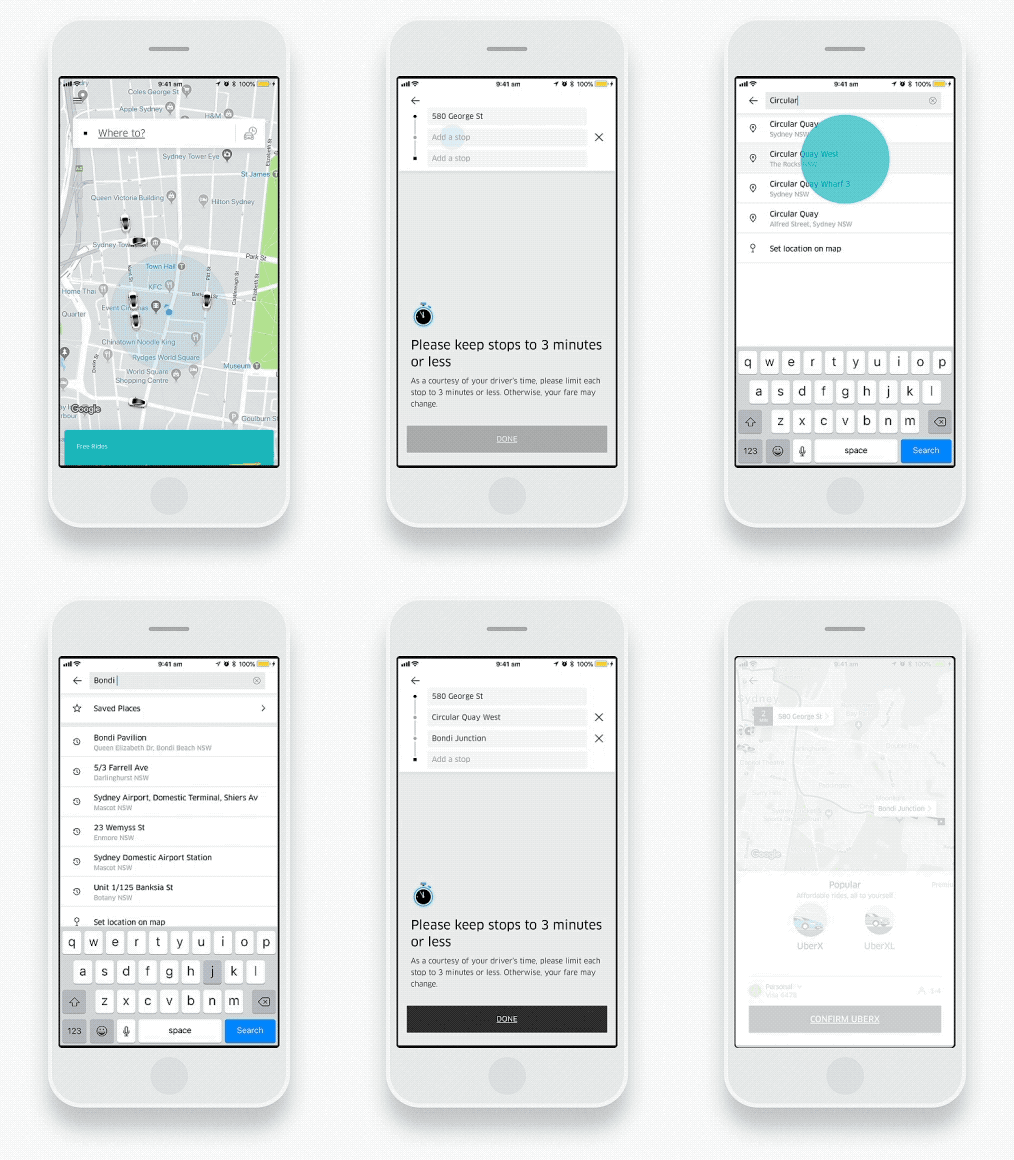
To use the feature, tap “where to?” and then “+”. Add the addresses of your stops, and then request your ride. Should you need to make changes during your trip, you can also add and remove stops in real time by clicking “Add or Change” in the app. Your driver will automatically receive directions to each of the stops so you can sit back and relax.
So whether you’re heading to a party with friends, or a night out with your other half, you’ll be able to arrive in one piece this weekend – and beyond – with the multiple stops feature.
Category
Written by
TU
The Uber Team
Related Articles
1 article