June 6, 2017
How to apply a promo code
RD
Ritwika Deb
Share this article
To unlock our special promos, all you have to do is apply the code to your Uber account with these simple steps:
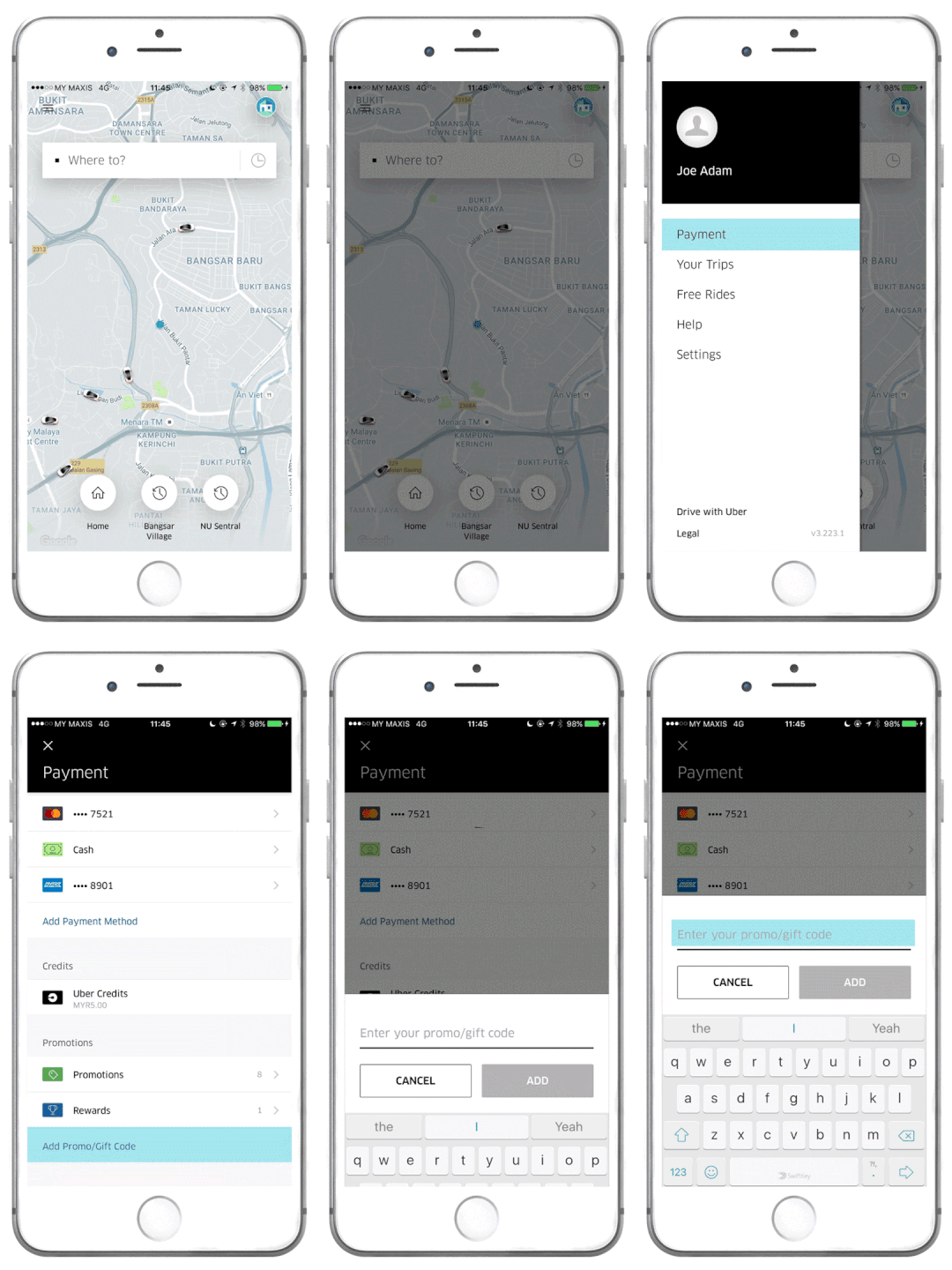
To enter a promo code on the new Uber app:
- Go to the main menu of the app
- Click on ‘Payment’
- On the ‘Promotions’ section, click on ‘Add Promo/Gift Code’
- Type the code (it is not case-sensitive)
- Your promo would automatically apply when you take a relevant trip
- To check, click on ‘Promotions’
And that’s it. The promo code you have entered will be applied to your account, so go ahead and #UberOn!
Category
Written by
RD
Ritwika Deb
Related Articles
6 articles
Backend
Engineering
October 27, 2026
Backend
Engineering
October 15, 2026
Aarhus
Backend
Engineering
October 13, 2026