July 9, 2016
How to enter a Promo Code
K
kunal@uber.com
Share this article
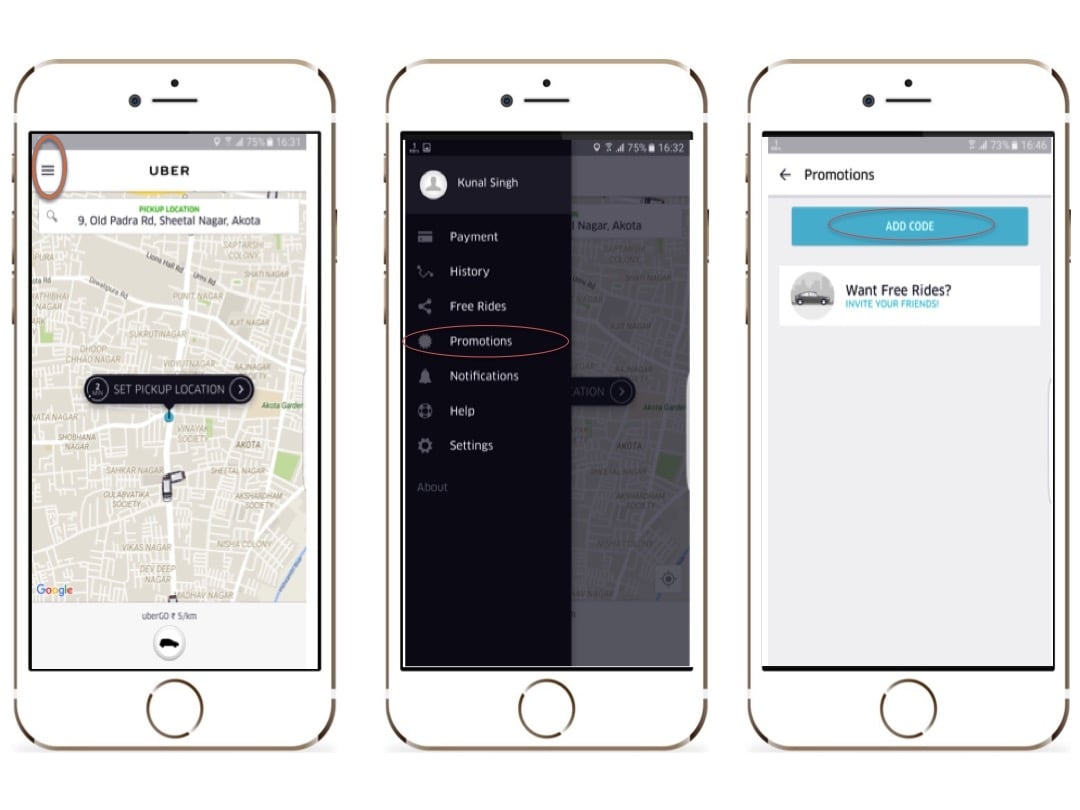
Steps to enter Promo Code:
- Open the Uber app. Tap on the Menu button (top-left corner)
- Tap on ‘Promotions’
- Tap on ‘ADD CODE’. Enter the code now.
- Click on ‘Apply’
Category
Written by
K
kunal@uber.com
Related Articles
6 articles
Backend
Engineering
May 7, 2026