March 31, 2020
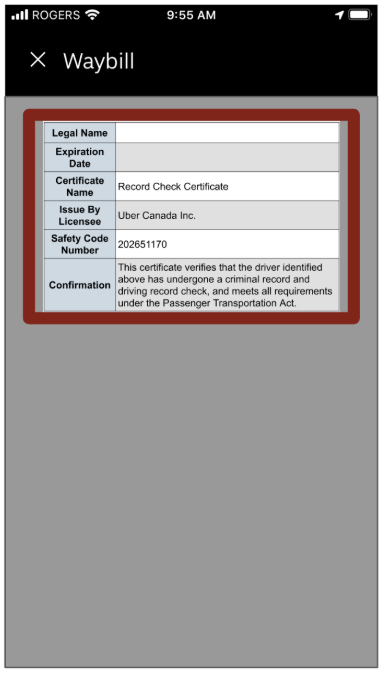
BC record check certificate
UE
Uber Editor
As part of regulatory requirements to operate in British Columbia, each driver is issued a record check certificate when they clear a criminal and driving history check.
Please note that a bylaw officer may stop you at any time and request to see your Record Check Certificate. If you’re unable to produce this document, you may be fined.
You can access your record check certificate by following the instructions below.
Step 1
Open the Driver app and select the status bar banner at the bottom of the home screen.

Step 2
Click on Waybill

Step 3
Scroll to the bottom of the page until you see Record Check Certificate (Automatically Created Once Background Screening Cleared).

Step 4
Click on Record Check Certificate (Automatically Created Once Background Screening Cleared) to access your record check certificate.
Need help with something else? Visit us online at help.uber.com
Category
Drive
Written by
UE
Uber Editor
Related Articles
6 articles