

A simple way to cover someone’s ride
At Uber, we believe in the power of connection — bringing people, places, and opportunities closer together. Sometimes, the best way to help someone move forward is by making their journey a little easier.
We’re excited to introduce Send a Ride, a new feature that lets you effortlessly cover an Uber ride for anyone — with just a few taps.
Whether you’re picking up a loved one from the airport, getting a client to your next meeting, or thanking a babysitter for working late, Send a Ride is an easy, thoughtful way to say, “Your Uber is on me.”
Thoughtful, simple, and in control
Frictionless: No more coordinating pickups, asking for addresses, or managing timing. You send it — they ride when they’re ready.
Cost-controlled: You only pay for what’s used after the trip is taken, and you decide the maximum amount and number of rides you’d like to cover.
Personalized: Share it using your preferred messaging app — text, WhatsApp, or email — and even include a note to let them know this ride is on you.
How it works
Send a Ride is a voucher that you can send to someone, giving you control of the budget while giving your guest the freedom to ride when they’re ready.
For the Sender (You)
It takes just a few seconds to send a ride:
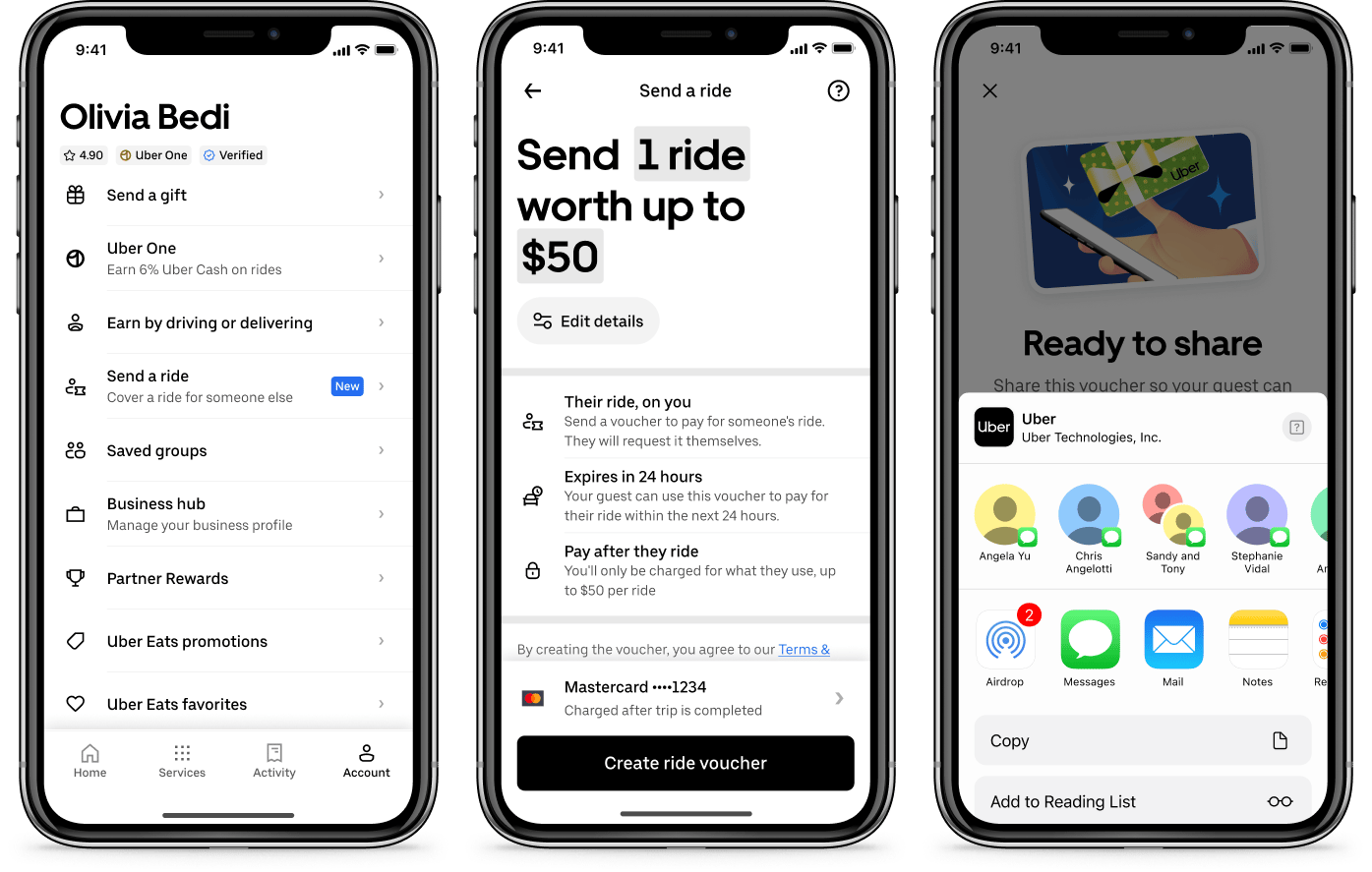
- Select “Send a Ride” — Find this new option in your Account tab
- Control time and budget — Choose what you want to cover, for example, one ride and up to $50. Tap Edit details for more options. Your card will only be charged for the actual cost of the ride after it’s completed.
- Share the link — Send the voucher through your favorite channel – message, email, Slack, or WhatsApp. Each voucher expires in 24 hours.
For the Recipient (Your Guest)
The recipient receives your message with a link to redeem their ride.
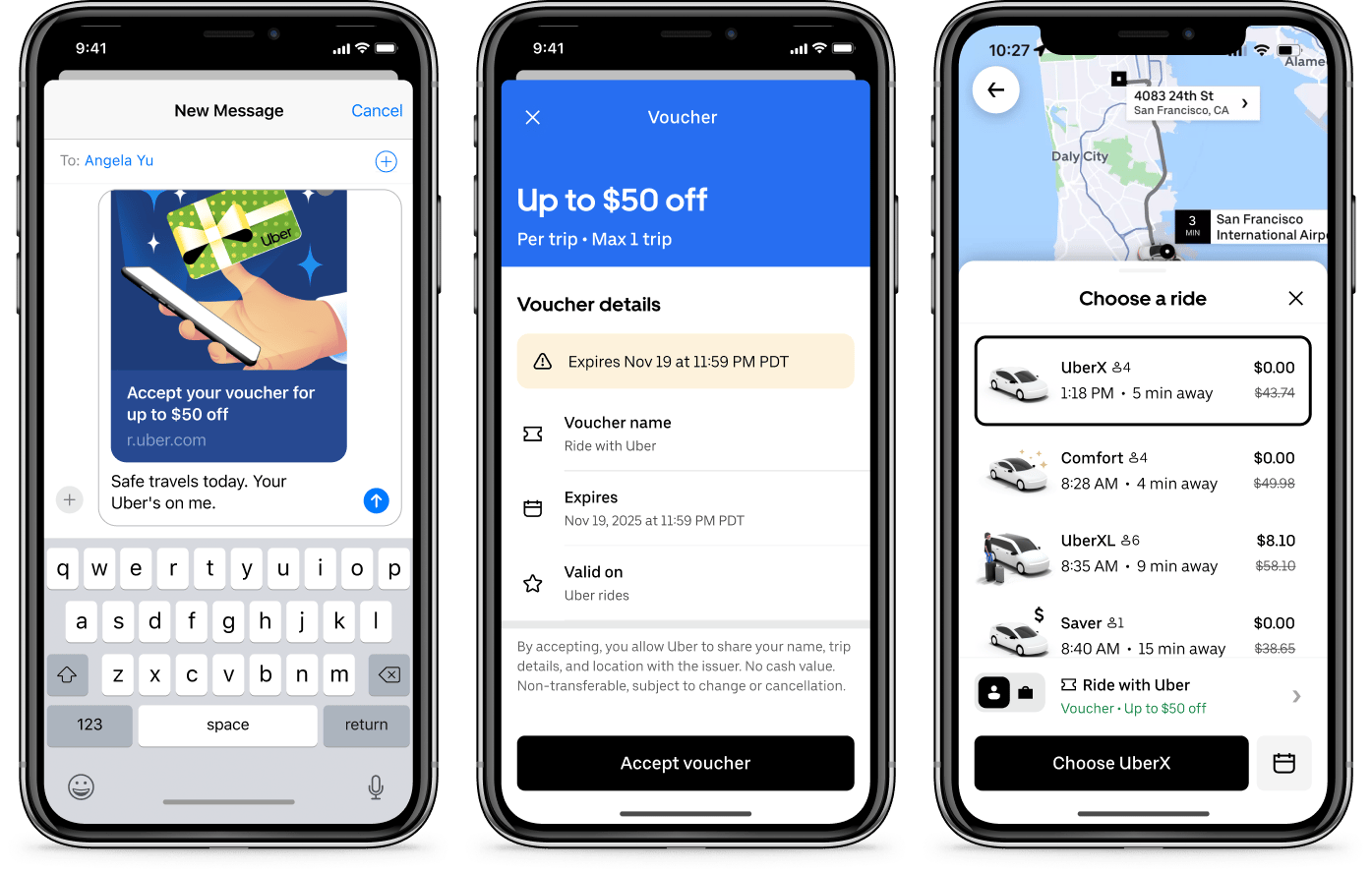
- Receive and accept — They tap to accept and the voucher is added to their Uber Wallet.
- Book when ready — Then, when they request their next trip, the voucher automatically applies to cover the ride. Vouchers are valid for 24 hours.
- No coordination needed — They set their own pickup and dropoff, and ride on their own schedule.
Covering someone’s Uber ride is now as simple as sending a message.
Try it today
Make someone’s day by sending them a ride. Update your Uber app to get started.
Send a Ride begins rolling out in the U.S. this November, starting with our most active users.