The basics
How to drive with Uber in Estonia
Uber is a great way to be your own boss and make good money. Most people are eligible to drive with Uber. Here’s what you need to know if you’re driving in Tallinn.
Get started

1. Register at https://partner.uber.com/ or in the Uber Driver app
Enter your phone number and email address. You’ll receive notifications and updates about the next steps in the registration process directly on the platform.

2. Upload your documents
Time for some paperwork. Please upload the following documents:
- ID card or passport (If you are a non-EU citizen, please provide both)
- Driving license (A minimum of 2 years of driving experience is required)
- Private Hire Service Provider Card (Teenusekaart)
- Vehicle insurance
- Vehicle registration
- Vehicle card (Sõidukikaart)
- Bank statement (Pangakonto detailid)
- Driver profile photo
Your profile photo must meet the following requirements:
- Forward-facing and centered, showing your full face and the top of your shoulders
- No sunglasses
- Only you in the frame (no other people)
- Well-lit and in focus
- Not a photo of a document (e.g. not a driver’s license or printed photo)
3. Get your licenses
Get your Service Provider Card and Vehicle Card to start driving with Uber in Estonia. Learn how we can support you through the licensing process.

4. Complete Your Banking & Invoicing Details
To ensure smooth payouts and accurate invoicing, independent drivers must provide their banking and invoicing details. Be sure to submit a PDF bank statement that clearly shows your full name and the IBAN of the account you wish to use. You can enter this information in one of two ways:
- Directly in the Uber Driver app
- On the partner portal at supplier.uber.com, in the Banking and Invoicing section
Ensure your information is accurate and up to date to prevent delays in receiving payments.
5. Arrange a Vehicle
Make sure your car is eligible for use with the Uber Driver app. Check if your vehicle meets all the local requirements
Submit vehicle documents:
- Vehicle registration
- Vehicle insurance
- Vehicle card
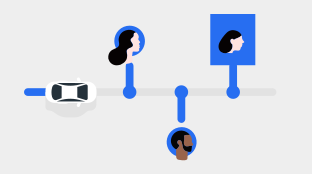
6. Complete your first trip
If you’ve completed all the steps - congratulations, your account should now be active!
Have any questions or need support? Feel free to reach out via the Help section in the app.
Get more from Uber
Start making money with Uber in Estonia
The information provided on this web page is intended for informational purposes only and may not be applicable in your country, region, or city. It is subject to change and may be updated without notice.
About