November 15, 2022
Udostępnienie statusu przejazdu przyjaciołom: funkcja bezpieczeństwa Uber stworzona z myślą o najbliższych
U
Uber
Ride with peace of mind
With a couple of clicks you can share your trip status with family and friends. There’s no need for them to have the Uber app installed – just send the link to a loved one and they’ll be able to track your journey. It’s an added sense of security for you both.
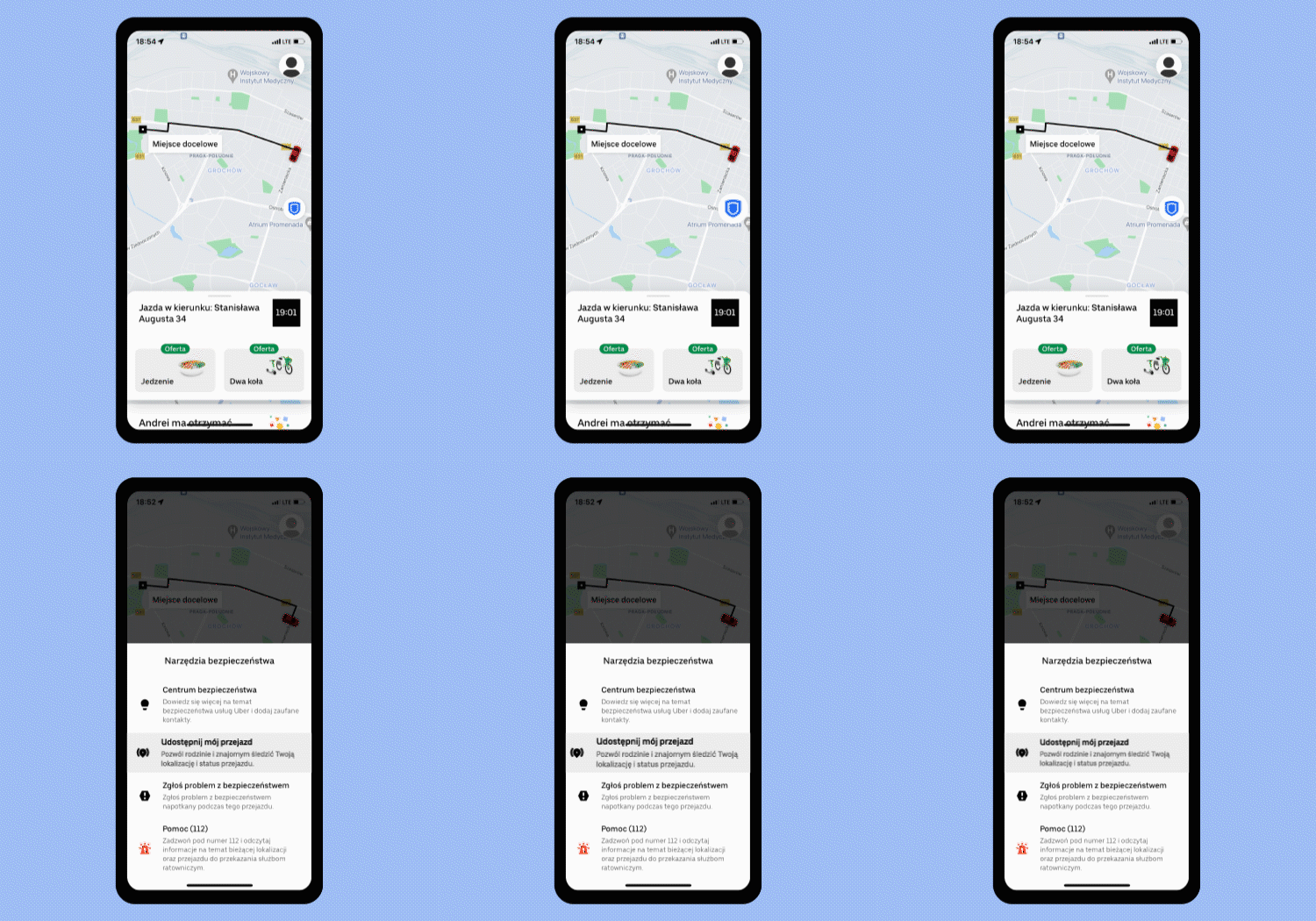
Finding your Share your trip button:
- This can only be accessed during a trip
- Just tap the blue safety shield icon on the map
- Then select Share your trip.
Once you’ve found your Share your trip button, there are a few different sharing options. See which one works best for you.
Sharing with your trusted contact:
- Take the steps to Share your trip, then select Share my ride
- Click on the name of your trusted contact
- Then simply Share and ride with peace of mind.

Share your trip with any of your phone contacts:
- You’ll first need to select Share your trip, then Share my ride
- Then click Add to select one of your phone contacts
- Then Share to allow them to track your trip door-to-door.

Alternatively, you can copy the trip link and send via SMS, Messenger or other app messaging options. Once you’ve selected Share my ride just click Copy link and Share so they know where you are. A simple safety feature to give you and yours peace of mind on each journey with Uber.
Category
Ride
Written by
U
Uber
Related Articles
6 articles
Products
Company